
Click on the “+ New” field. On the left-hand side, enter the information on sleep and feeling and optionally a comment. On the right-hand side, you can add information about injuries, pain or illnesses. To do this, click on the “+ symbol”, select a type, mark the affected body part, enter the severity and add a comment if required. Click on “Save”. With the “arrow symbol” you have the option of copying the last entry on the physical condition. Once you have entered all the details, click on “Save” at the bottom.

Chart
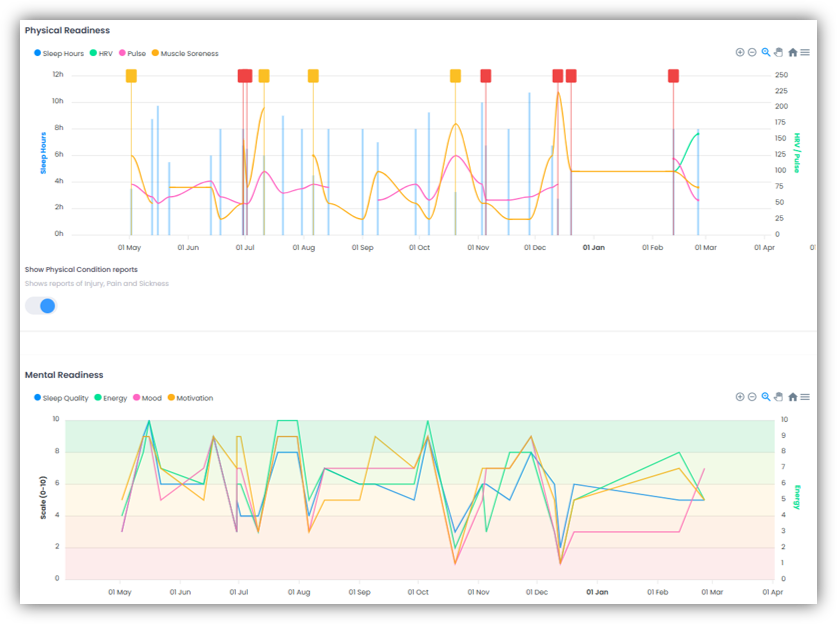
In addition, the “Physical Readiness” graph will be displayed, which visually presents data on sleep hours, HRV, pulse and muscle soreness over the selected time period. If you enable the “Show Physical Condition reports” toggle, your reported injuries, pain, and sickness will also be displayed in the graph.
The “Mental Readiness” graph shows you data on sleep quality, energy levels, mood and motivation.
Below, you’ll see a list of all your daily values. You can use the filters to view only specific entries. If you click on the date of a daily value, the reported injuries and areas of pain will be displayed, along with any comments you may have made.
Edit or delete daily value
If you want to edit a daily value, click on the “pencil symbol” in the “Actions” column on the right-hand side of the row for the corresponding daily value. Enter the relevant adjustments in the window that appears and click on “Save”.
If you want to delete an entered daily value, click on the “trash can icon” on the line of the corresponding daily value on the right in the “Actions” column. Click on “Ok” in the window that appears.