
The daily values show you how your athletes slept and provide information about their physical and mental condition.
Under HEALTH – DAILY VALUES you will find an overview of the most important key figures of the daily value entries of your athletes over a period of time defined by you in the upper area. In the lower section, the latest entries of the athletes assigned to you are displayed. These include information on sleep duration and quality, physical condition, mood, motivation, pulse, HRV, altitude, muscle soreness and energy level.
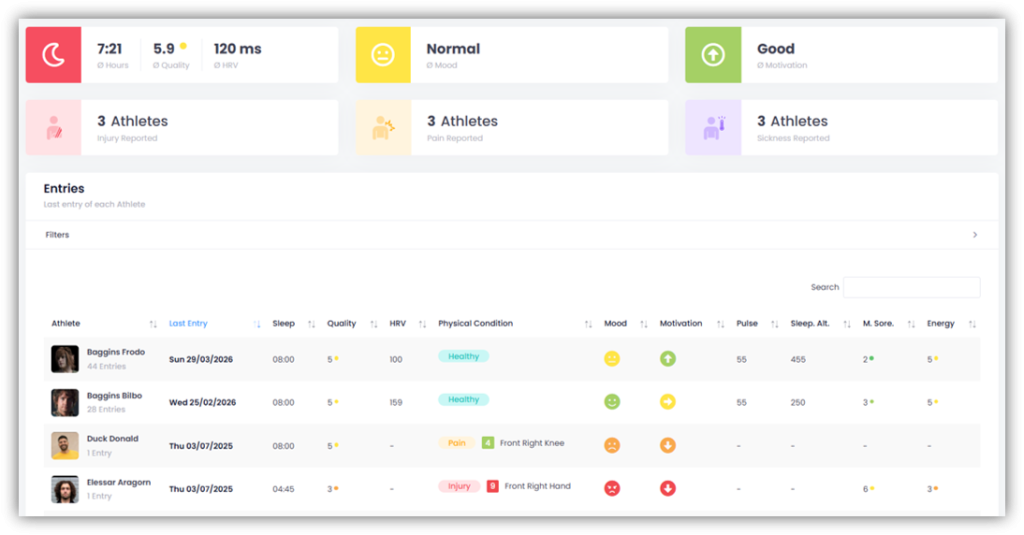
If you click on an athlete’s name, you’ll see a detailed overview of all their daily values. Various average values are displayed at the top. You can also specify the time period for which you want to view the data.
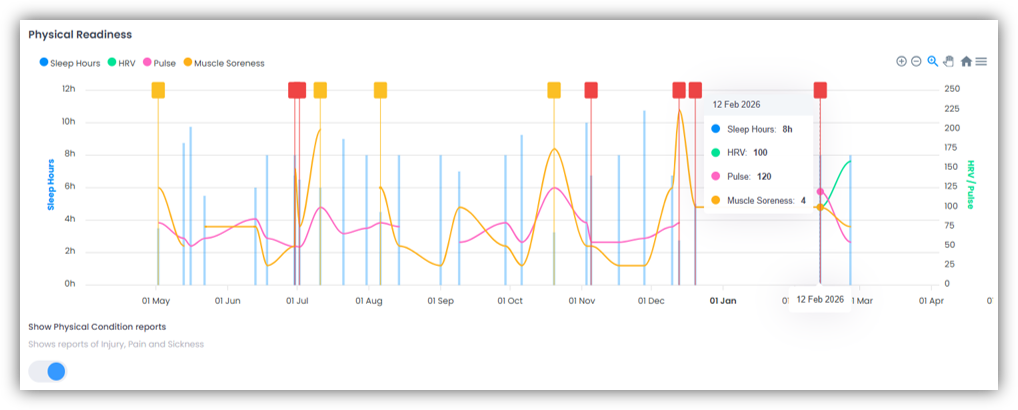
You’ll also see the “Physical Readiness” graph, which visually presents data on sleep hours, HRV, pulse, and muscle soreness over the selected time period. If you enable the “Show Physical Condition reports” toggle, the athlete’s reported injuries, pain, and sickness will also be displayed in the graph.
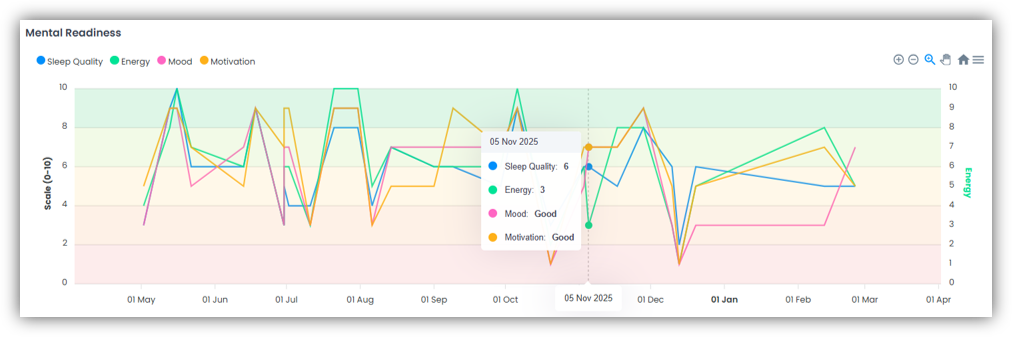
The “Mental Readiness” chart shows you data on sleep quality, energy levels, mood and motivation.
Below, you’ll see a list of all individual daily values. You can use the filters to view only specific entries. If you click on the date of a daily value, the reported injuries and areas of pain will be displayed, along with any comments the athlete may have provided.
