
Under “Settings” on the left, select one or more coaches and the desired time period.
Overview
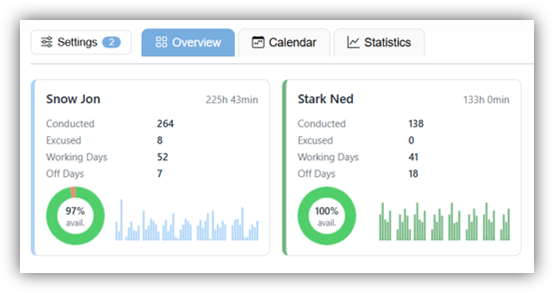
Compare the selected coaches based on various criteria. Clicking on a coach will take you directly to the “Statistics” tab, which we explain below.
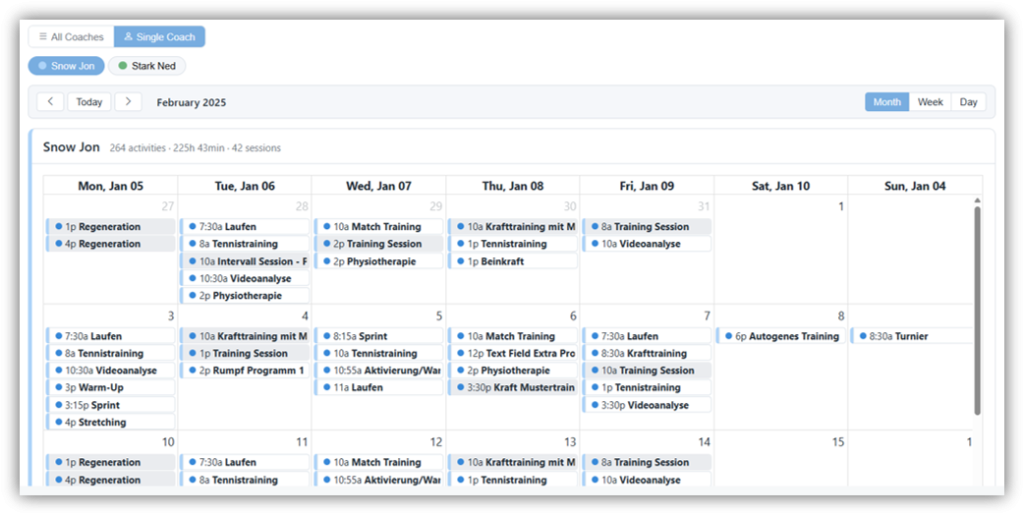
Calendar
Statistics
Here you’ll find various metrics regarding your coaches’ work schedules. For example, you can see how many days a coach worked or had off, and how often they unsubscribed from activities or sessions.
The graph shows you either the number of hours worked per day or the number of activities completed per coach.
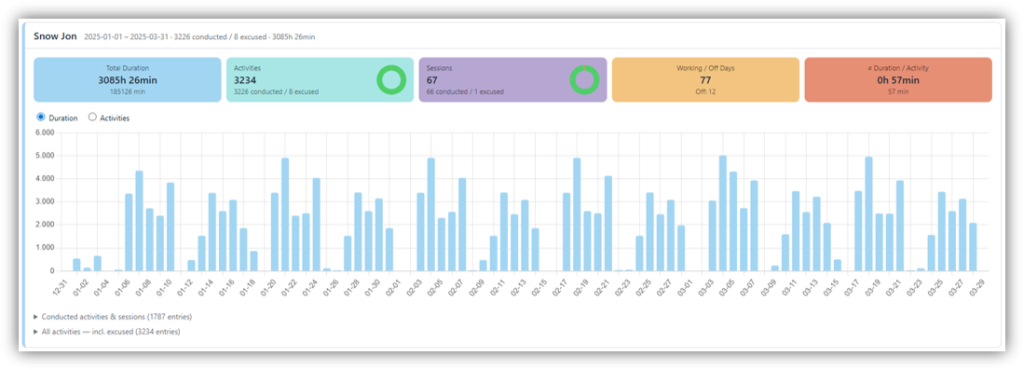
Below the graph, you’ll also find a complete list of all activities within the selected time period.