
Linked activities ensure that changes to the original activity are automatically updated. This is particularly important if you copy a club activity (i.e. an activity from another club trainer) or an activity from the library (from your federation) into your own activities.
If the club trainer or federation then makes changes to this activity, they are automatically updated. This ensures that your version is always up to date. Only adjustments to types, methods and properties are taken into account.
Linked activities from club activities/library
If you click on the “Add to my activities” button in the “Actions” column in the “Club activities” or “Library” tab, the template will be copied to your activities and automatically marked as linked.

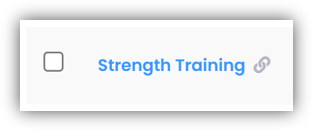
You can find this linked activity in the “My Cctivities” tab. You can recognize that it is a linked activity by the “link symbol”.
Plan linked activities
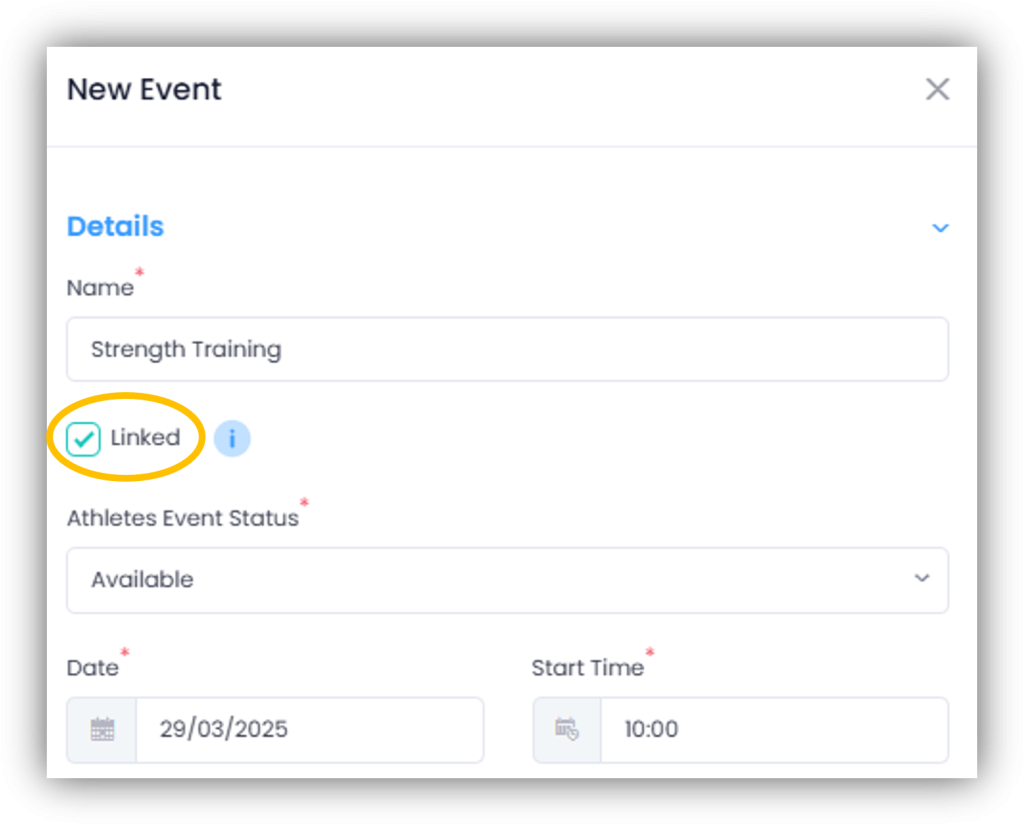
Linked activities are planned like normal activities. When planning, a tick at the top indicates that the activity is linked to the original activity.
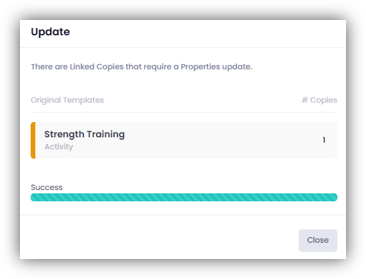
If the original activity changes, the linked activity is automatically updated in the planning. You will be informed of this by a notification window.
Plan normal activities
If you are planning a self-created, unlinked activity, you can manually check the “Linked” box to link it to the original activity.
If you later change your own template, these adjustments will be automatically adopted for future planned activities.